接入 Claude Code CLI
参考教程:Claude Code - 智谱AI开放文档
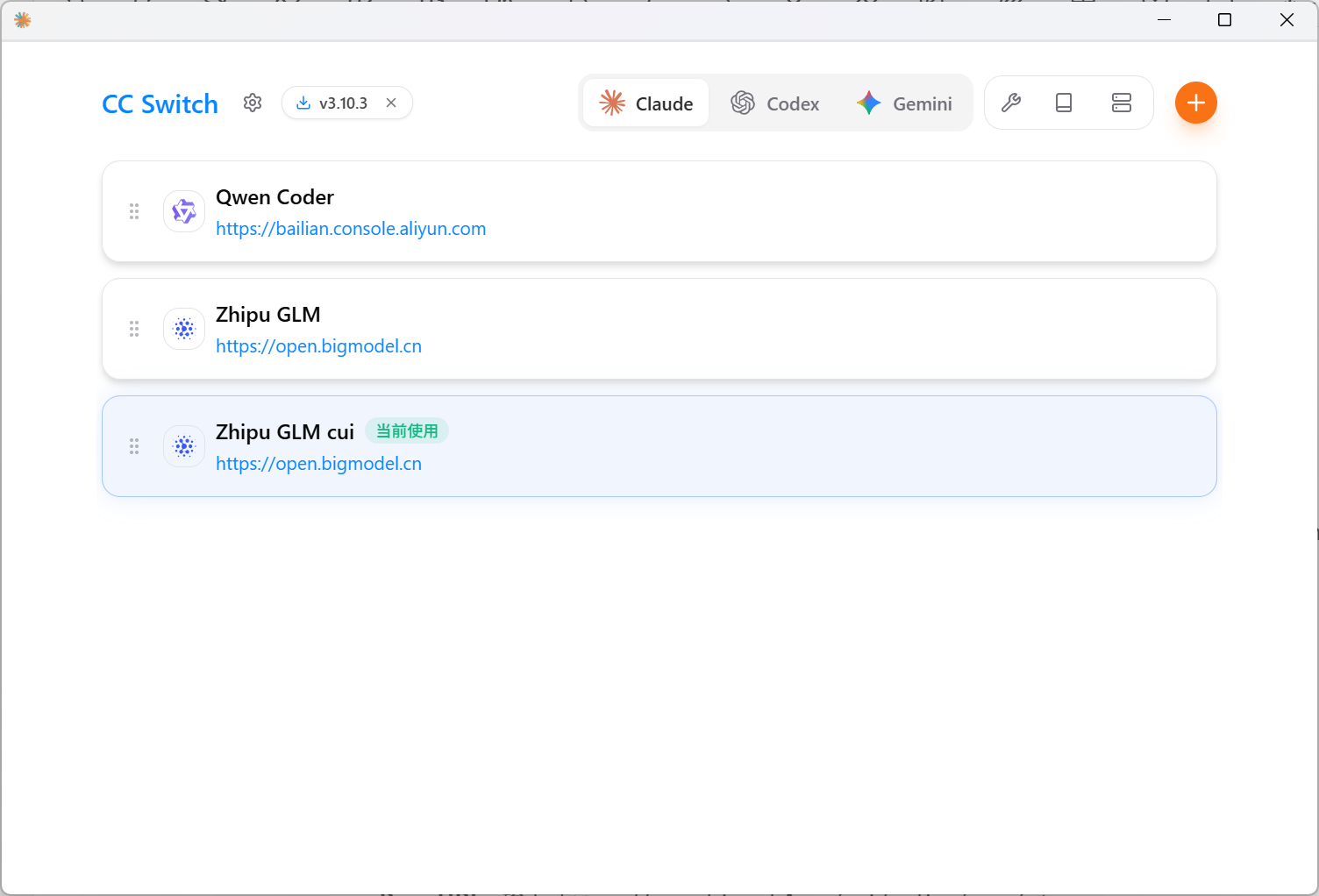
cc-switch:farion1231/cc-switch: A cross-platform desktop All-in-One assistant tool for Claude Code, Codex, OpenCode & Gemini CLI.
由于 Claude Code 原生仅支持 Anthropic 官方 API,在国内环境下推荐使用代理或转换工具。
首选工具:cc-switch。
- 功能:一个跨平台的桌面端 All-in-One 辅助工具,用于一键切换 Claude Code、Codex、OpenCode 以及 Gemini CLI 等工具调用的 API 地址。
- 优势:解决了不同 CLI 工具对 API 格式要求的差异,实现无缝切换。
接入 Claude Code IDE 插件
Claude Code IDE 插件依赖 Claude Code CLI 工具,配置好 CLI 端后安装插件可直接使用。
接入 Cline 插件
参考文档:Cline - 智谱AI开放文档
请按照以下配置填入相关信息:
- API Provider:选择
OpenAI Compatible - Base URL:输入
https://open.bigmodel.cn/api/coding/paas/v4 - API Key:填入您的智谱 API Key
- 模型:选择”使用自定义”,并输入模型名称(如:
glm-4.7) - 其他配置:
- 取消勾选 Support Images
- 调整 Context Window Size 为
204800 - 根据您的任务需求调整
temperature等其它参数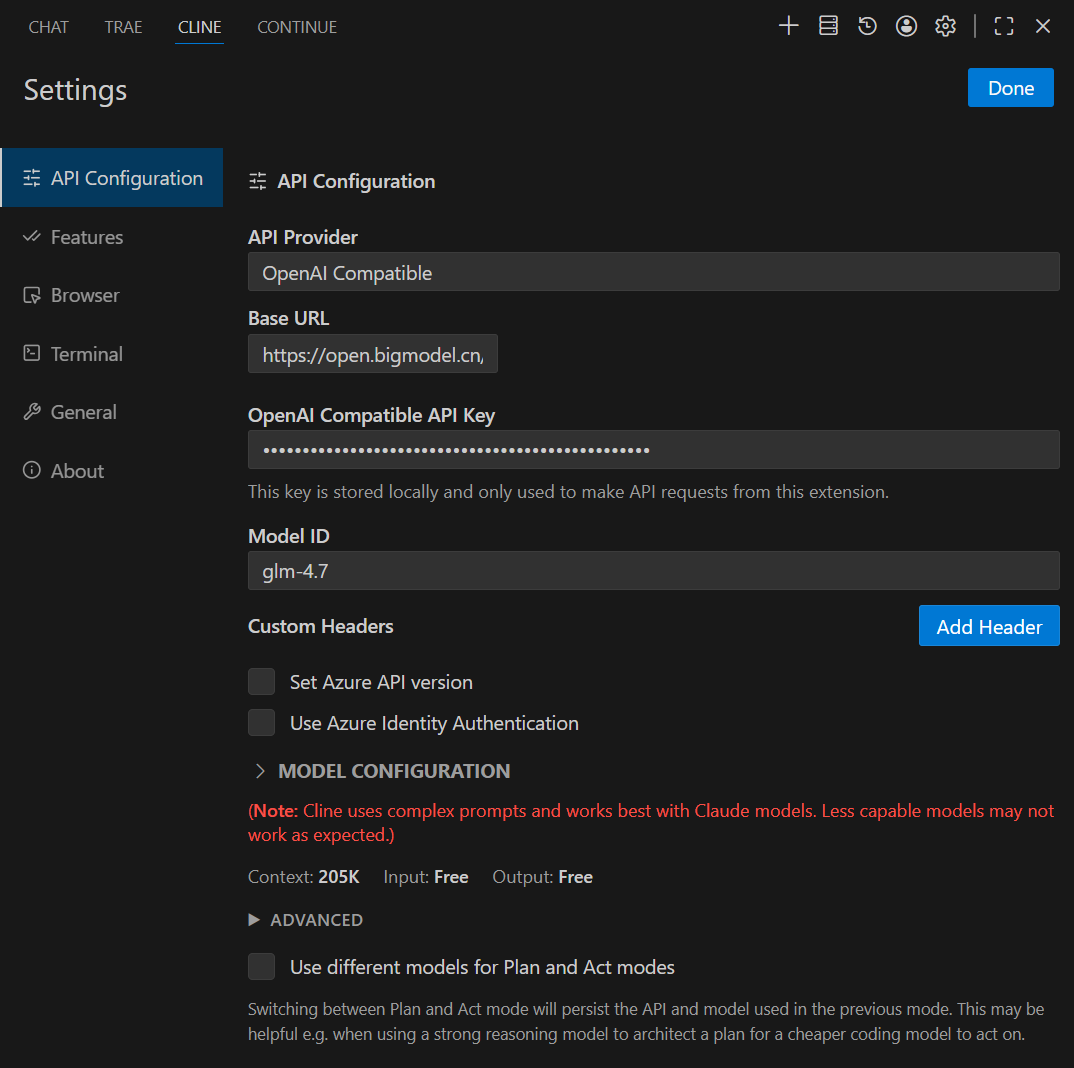 但是,cline 有一些 bug 没有解决,比较影响体验:Repeating: The model used search patterns that don’t match anything in the file. Retrying… · Issue #8237 · cline/cline
接入 Continue 插件
配置需要从文件 C:\Users\Tanphoon\.continue\config.yaml 修改
name: Local Config
version: 1.0.0
schema: v1
models:
  - name: Gemini 2.0 Flash
    provider: gemini
    model: gemini-2.0-flash
    apiKey: ****

  - name: GLM 4.7
    provider: openai
    model: glm-4.7
    apiKey: ****
    apiBase: https://open.bigmodel.cn/api/coding/paas/v4
接入 Trae
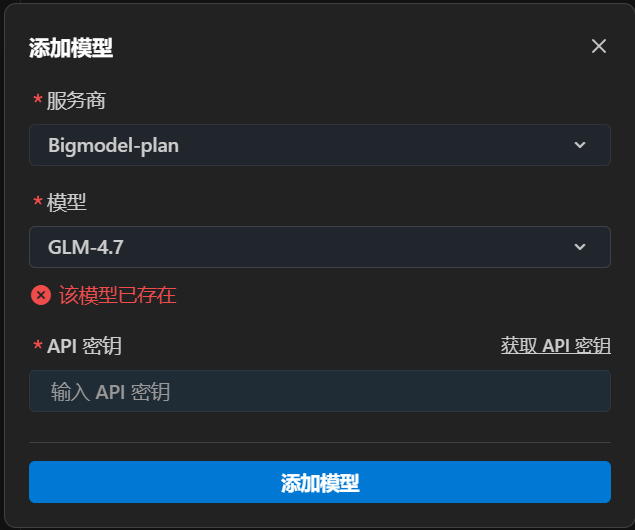
参考文档:TRAE - 智谱AI开放文档
Trae 是字节跳动推出的自研 AI IDE,内置了类似 Claude Dev 的能力。
配置路径:设置 → 模型 → 添加模型。
接入 vscode copilot
在使用了几天 [cline](GLM%20使用方法.md#接入 cline) 插件后,逐渐遇到一些问题:
- 经常出现无法增量修改文件问题,导致重试三次修改文件失败,直接变成重新写入文件,浪费了大量的 tokens。(ps:虽然 GLM 的 tokens 便宜,但是便宜就不是钱了吗)
- 对 vscode 的适配度不如 copilot,比如 行内 fix 和 genenrate 功能不完善。 于是转到使用 copilot。 截止到目前,接入到 vscode copilot 需要使用插件 johnny-zhao.oai-compatible-copilot。
    "oaicopilot.commitLanguage": "Chinese (Simplified)",
    "oaicopilot.baseUrl": "https://open.bigmodel.cn/api/coding/paas/v4",
    "oaicopilot.models": [

        {
            "id": "glm-4.6",
            "configId": "thinking",
            "temperature": 0.7,
            "top_p": 1,
            "thinking": {
                "type": "enabled"
            }
        },
        {
            "id": "glm-4.6",
            "configId": "no-thinking",
            "temperature": 0,
            "top_p": 1,
            "thinking": {
                "type": "disabled"
            }
        }
    ],
根据以上设置按需添加,配置好这个插件后,就可以在 GitHub copilot 模型管理中看到新添加的模型。
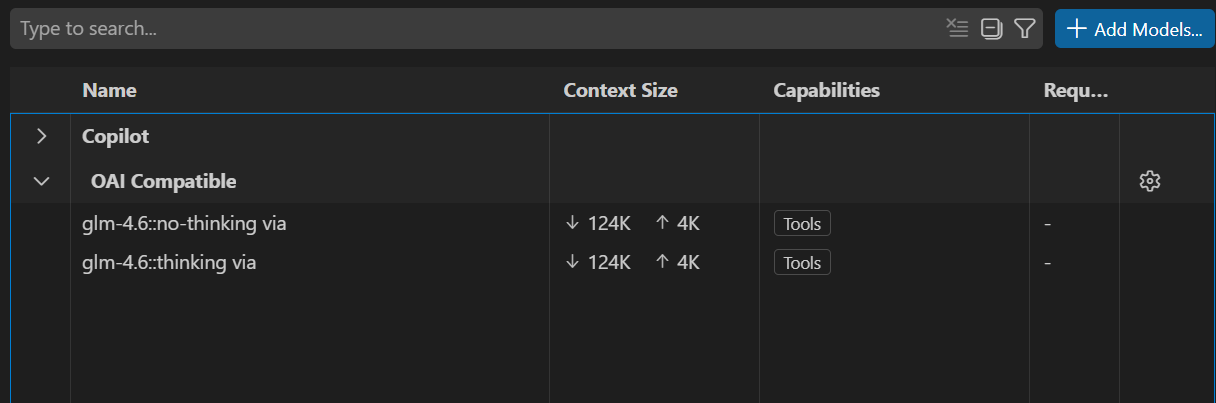
如果想使用添加模型的行内 suggestion,可以修改以下设置。
    "github.copilot.selectedCompletionModel": "glm-4.6::no-thinking via",
    "github.copilot.nextEditSuggestions.enabled": true,
    "github.copilot.chat.planAgent.model": "glm-4.6::no-thinking via",
    "github.copilot.chat.notebook.enhancedNextEditSuggestions.enabled": true,
"github.copilot.chat.implementAgent.model": "glm-4.6::no-thinking via",另有备选方案:Introduction - oai2ollama
MCP
视觉理解 MCP 需要安装 npm 包
npm install -g @z_ai/mcp-servermcp 配置文件
{
  "mcpServers": {
    "zai-mcp-server": {
      "type": "stdio",
      "command": "npx",
      "args": [
        "-y",
        "@z_ai/mcp-server"
      ],
      "env": {
        "Z_AI_API_KEY": "your_api_key",
        "Z_AI_MODE": "ZHIPU"
      }
    },
    "web-search-prime": {
      "type": "streamableHttp",
      "url": "https://open.bigmodel.cn/api/mcp/web_search_prime/mcp",
      "headers": {
        "Authorization": "Bearer your_api_key"
      }
    },
    "web-reader": {
      "type": "streamableHttp",
      "url": "https://open.bigmodel.cn/api/mcp/web_reader/mcp",
      "headers": {
        "Authorization": "Bearer your_api_key"
      }
    },
    "zread": {
      "type": "streamableHttp",
      "url": "https://open.bigmodel.cn/api/mcp/zread/mcp",
      "headers": {
        "Authorization": "Bearer your_api_key"
      }
    }
  }
}